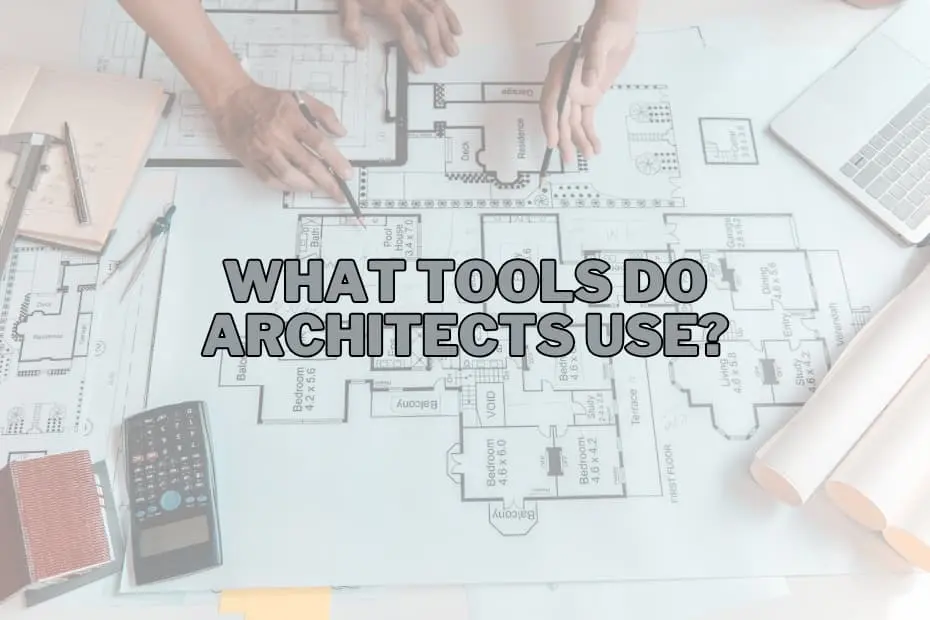
The creation of modern architecture sits at an extraordinary intersection of artistic expression, rigorous engineering, and spatial visualization. Every structural landmark that defines a city skyline, every civic building, and every residential space begins as a concept that must be carefully developed, tested, and refined before a single foundation is poured. To bridge the gap between imagination and physical reality, architects rely on a vast spectrum of instruments.
Rather than abandoning historical methods in favor of digital automation, the contemporary architectural profession operates through a hybrid approach. Practitioners continuously move between traditional hand-drafting equipment and state-of-the-art digital software. Understanding these essential tools provides valuable insight into how complex design ideas are communicated, calculated, and ultimately constructed.
The Digital Backbone: Computing, Modeling, and Simulation Software
Digital technology has fundamentally transformed how buildings are conceived, documented, and analyzed. Software solutions allow design teams to work with unmatched precision, testing dynamic structural variables and spatial arrangements long before construction crews arrive on site.
CAD Software
Computer-Aided Design (CAD) software serves as the structural foundation of digital architectural practice. By replacing physical drawing boards with high-precision digital environments, CAD enables architects to produce intricate two-dimensional blueprints and complex three-dimensional geometries with exact mathematical measurements.
Beyond simply drawing lines, CAD platforms allow designers to simulate real-world conditions, helping teams predict structural performance, evaluate spatial layouts, and generate the foundational documentation required for construction. The ability to modify design parameters instantaneously reduces drafting errors and ensures that every detail of a project—from load-bearing walls to window placements—is accurately accounted for prior to physical execution.
BIM Software
Building Information Modeling (BIM) software represents an evolutionary leap beyond conventional digital drafting. While standard CAD programs focus primarily on geometry, BIM platforms integrate rich data into every element of a building model. Walls, structural beams, doors, and mechanical systems are treated as intelligent digital objects carrying real-world information, such as material properties, thermal performance, and cost parameters.
BIM serves as a central intelligence platform for an entire project lifecycle. It allows architects, structural engineers, contractors, and facility managers to collaborate within a single digital framework. By facilitating multi-disciplinary coordination, BIM software helps identify spatial conflicts—such as ductwork intersecting with structural steel—early in the design phase, drastically minimizing costly miscommunications on the construction site.
Rendering Software
While technical blueprints are essential for builders, clients and external stakeholders often require realistic visual representations to fully grasp a design’s intent. Rendering software bridges this gap by taking raw digital models and turning them into photo-realistic images and animations.
These programs calculate real-world lighting conditions, material textures, reflections, atmospheric depth, and spatial shadows. By simulating how natural sunlight moves through a room at different times of day or how specific finishes interact under artificial lighting, rendering software provides a realistic preview of the completed structure. It functions as a crucial visual communication tool for client presentations, public consultations, and marketing campaigns.
Graphic Tablets
For professionals who wish to retain the fluid spontaneity of freehand drawing within a digital pipeline, graphic tablets have become an indispensable asset. These devices feature pressure-sensitive styluses that allow architects to sketch directly onto high-resolution digital screens.
Graphic tablets bridge the gap between initial ideation and digital precision. Designers can sketch loose concepts, annotate complex CAD drawings, or overlay hand-drawn iterations on top of 3D models without losing the tactile responsiveness of traditional paper. The resulting digital sketches can be immediately saved, modified, and shared across global project networks.
Spatial Visualization, Physical Prototyping, and Fabrication Hardware
Translating digital files into physical form or immersive spatial experiences requires specialized hardware. These advanced tools help bridge the gap between computer screens and tangible space.
Virtual Reality Headsets
Virtual Reality (VR) headsets are redefining how architects and clients experience unbuilt environments. By placing users directly inside a fully rendered three-dimensional simulation, VR technology transforms design visualization from a passive viewing experience into an interactive walkthrough.
Wearing a VR headset, an architect or client can walk through a virtual building, gauge ceiling heights, evaluate spatial flow, and assess sightlines before ground is broken. This spatial immersion provides a deep intuitive understanding of scale that traditional 2D drawings or flat computer screens cannot replicate, enabling earlier design adjustments and confident decision-making.
3D Printers
3D printing technology has revolutionized model-making in modern design studios. By taking digital CAD or BIM files and building up physical objects layer by layer, 3D printers convert complex geometries into tangible scale models with speed and precision.
Physical models are vital for analyzing structural massing, site context, and material proportions. Rather than spending days manually cutting and assembling delicate physical components, design teams can utilize 3D printers to rapidly fabricate physical prototypes. These tactile models offer clients and builders a clear, three-dimensional overview of spatial relationships.
Plotter Printers
Despite the shift toward digital workflows, physical documentation remains essential on active construction sites. Plotter printers are large-format printing systems designed to produce expansive, high-resolution physical drawings, blueprints, and site layouts.
Because construction crews, inspectors, and tradespeople rely on clear printed plans in the field, plotters must output crisp line work and legibly scaled vector graphics. These large-format prints ensure that every team member on site works from accurate, easy-to-read construction documents.
On-Site Measurement and Field Analysis Tools
Accurate field measurements are critical to architectural success. Whether assessing an existing site for a new build or surveying a structure for renovation, exact site metrics are essential to avoid costly structural errors.
Laser Distance Measurers
Precision measurement on site has been elevated by the development of the laser distance measurer. By emitting a concentrated beam of light to a target surface, this compact device calculates distances instantaneously with incredible accuracy.
Laser measurers drastically streamline the site analysis process, allowing a single architect to capture long spans, ceiling heights, and complex room dimensions in seconds. By minimizing human error and eliminating the logistical challenges of measuring hard-to-reach areas, laser measurement tools provide reliable site data for the early design phase.
Measuring Tapes
Even in an age dominated by laser tech, the classic measuring tape remains an essential item in an architect’s field kit. Highly portable and requiring no battery power, the traditional tape measure is ideal for quick, localized dimensions during site visits.
Whether measuring trim details, wall thicknesses, or fixture clearances, a measuring tape offers immediate utility. It remains a dependable baseline tool for on-the-spot verification during site walkthroughs and contractor meetings.
The Enduring Value of Analog Craft and Manual Drafting
Despite the rise of software and automation, analog tools remain central to the architectural discipline. Manual drawing equipment fosters direct cognitive engagement, allowing designers to rapidly explore ideas and master spatial fundamentals.
Sketching Pencils
The humble sketching pencil remains the primary tool for architectural ideation. Before complex algorithms or software programs are opened, most architectural concepts begin with a graphite line on paper.
Pencils offer unfiltered creative freedom, allowing architects to quickly capture fleeting ideas, experiment with massing, and illustrate structural concepts during brainstorming sessions. The varying line weights, textures, and shading achievable with traditional graphite pencils make them ideal for expressing the mood, gesture, and preliminary layout of a project.
Drafting Tables
The drafting table is an iconic symbol of the profession that continues to serve an important function in modern studios. Characterized by its adjustable angled surface, the drafting table offers an ergonomic setup for drawing, technical drafting, and examining large-format plans.
For architects who continue to produce hand-drafted drawings or review physical blueprints, the slanted surface reduces physical strain while ensuring clear visual perspective across the drawing sheet. It remains a dedicated workspace where design ideas are brought to life through precise manual technique.
Architectural Scale Rulers
Translating real-world, full-scale structures onto manageable sheets of paper requires strict mathematical proportionality. The architectural scale ruler is a specialized tool featuring multiple calibrated scales on a triangular cross-section.
This instrument enables architects to measure and draw scaled representations of buildings—such as quarter-inch or eighth-inch equivalents to a foot—without calculating complex conversions manually. It ensures that floor plans, elevations, and structural details maintain precise mathematical proportion to their built counterparts.
T-Squares
A staple of traditional drafting, the T-square is a straightedge guide shaped like the letter T. When aligned along the outer edge of a drafting table, it provides a stable horizontal reference line across the drawing surface.
The T-square allows draftspeople to draw precise horizontal lines and serves as a firm base for set squares and triangles to create accurate vertical and angular lines. It ensures the geometric alignment required for manual technical drawings.
Protractors
Complex floor plans and modern structural designs frequently incorporate non-orthogonal geometries, sloped roofs, and unique angled layouts. The protractor is a foundational geometry tool used to measure and plot precise angles on drawings.
By ensuring angular accuracy, the protractor helps architects translate mathematical calculations into exact physical representations. This precision prevents layout discrepancies when structural components meet at custom angles.
Foam Cutters
Physical study models remain a quick, effective way to explore spatial massing and context. Foam cutters—often utilizing heated wires—allow architects to cut through lightweight expanded polystyrene or foam board with smooth, clean lines.
These tools enable the rapid fabrication of physical spatial studies, helping design teams evaluate volumetric arrangements, site topography, and structural scale. The resulting foam models give teams a tangible way to manipulate and understand spatial forms early in the design process.
Common Questions About Architectural Tools
What is the most important tool for an architect today?
While manual tools remain foundational for creative ideation, modern CAD and BIM software are critical for professional execution. These programs allow architects to create precise digital models, manage complex building data, and generate accurate construction documentation required by modern building codes.
Do architects still use hand-drawing tools in professional practice?
Yes, hand-drawing remains a vital part of the architectural workflow. Architects routinely use sketching pencils, scale rulers, and graphic tablets to brainstorm initial concepts, communicate quick ideas with clients, and work through spatial problems before transitioning to formal digital software.
How does BIM software differ from standard CAD software?
Standard CAD software focuses primarily on two-dimensional lines and three-dimensional geometric shapes. BIM software incorporates detailed parametric data into every design element, allowing real-time tracking of structural specifications, material quantities, cost estimates, and building performance throughout a project’s lifecycle.
Why do architecture firms utilize 3D printing?
3D printers enable design teams to convert digital CAD models into physical, scaled prototypes rapidly. These physical models help clients, planning authorities, and construction teams better understand spatial volumes, structural context, and building proportions.
How is virtual reality changing the architectural design process?
Virtual reality allows architects and clients to step inside a digitally simulated building before construction begins. This level of immersion provides an accurate sense of scale, room depth, and lighting, allowing teams to identify and resolve spatial issues early in the design phase.