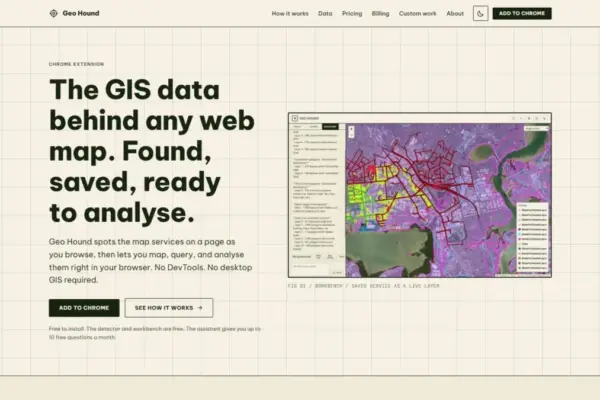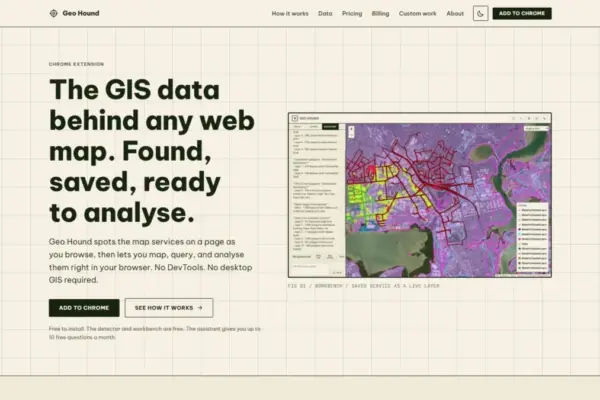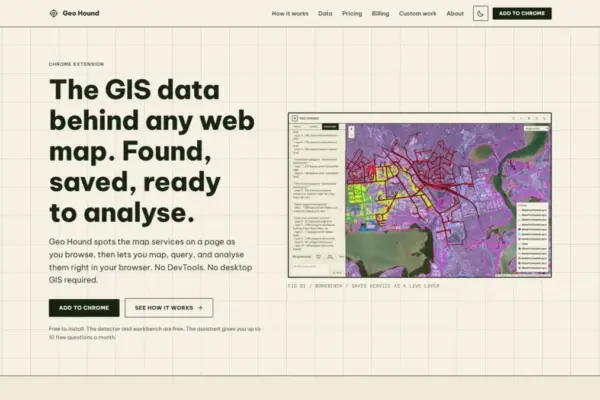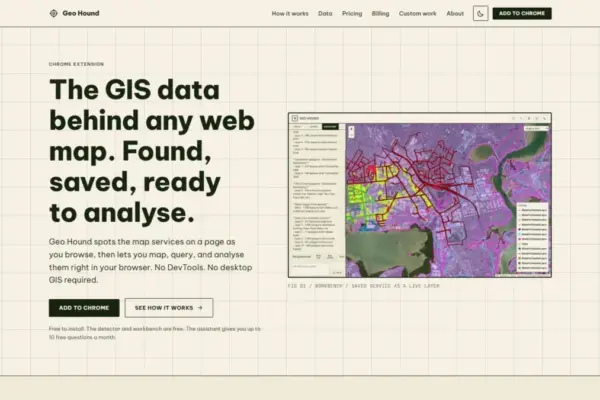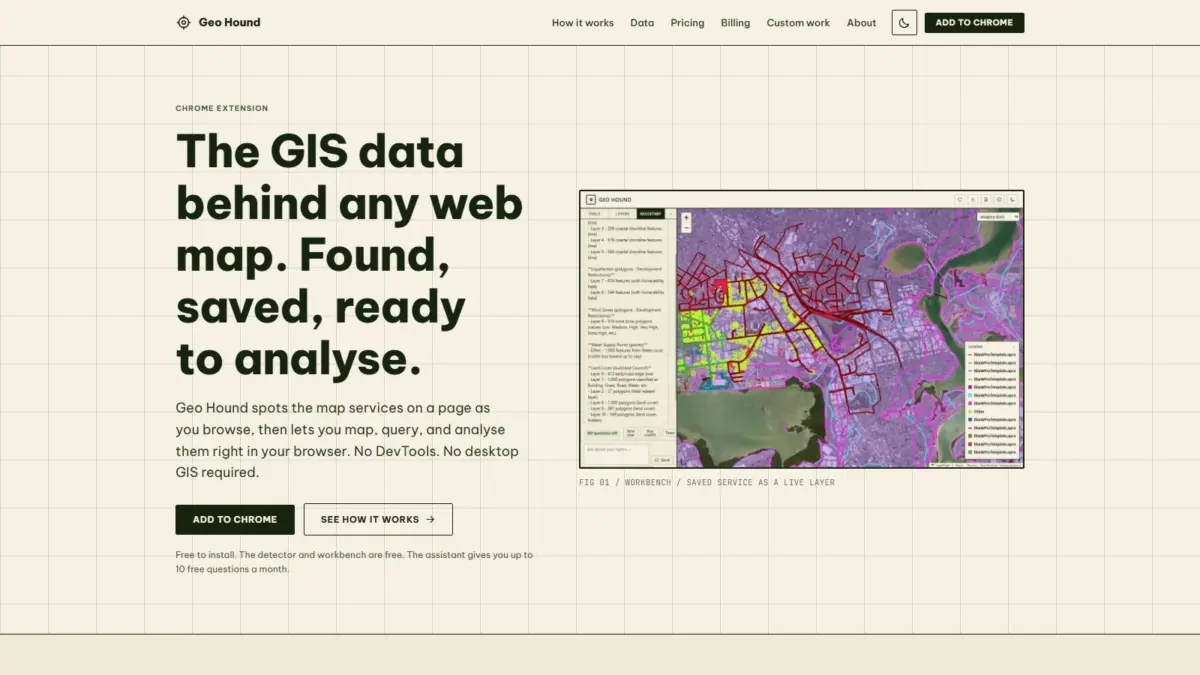
A new browser extension named GeoHound has been introduced to help geospatial professionals, researchers, and spatial data enthusiasts effortlessly identify, capture, and manipulate the underlying data services that power web maps across the internet. Developed by Daniel O’Donohue, a geospatial specialist and the creator of The MapScaping Podcast, the Google Chrome extension addresses a pervasive workflow challenge in modern web cartography by automatically detecting background spatial services as users navigate standard web pages.
By operating quietly in the browser background, GeoHound removes the technical barriers typically associated with extracting web-based spatial data. Rather than requiring users to manually inspect network traffic or copy service endpoints into heavy desktop software, the extension identifies up to 29 distinct types of geospatial services—including Web Map Service (WMS), Web Feature Service (WFS), OGC APIs, ArcGIS REST services, tile services, and GeoJSON feeds—while simultaneously capturing and preserving their associated metadata.
Beyond passive service detection, GeoHound incorporates a built-in workbench that enables users to perform core Geographic Information System (GIS) operations directly within their web browser. Through this workbench, users can filter layer attributes, construct buffer zones, perform data joins, and export processed datasets without opening traditional desktop GIS software or navigating complex browser developer tools. Furthermore, the extension features an artificial intelligence assistant capable of executing spatial tasks on saved layers using plain English natural language commands.
To understand the practical impact of GeoHound, it is helpful to examine how modern web maps function and how spatial analysts traditionally interact with them. Over the past two decades, web mapping applications have transitioned from static map images to dynamic, highly interactive vector and raster applications. When a user interacts with a web map on a government open data portal, an environmental tracking dashboard, or a commercial mapping website, the browser continuously communicates with remote spatial servers to request map tiles, spatial features, and attribute tables.
Historically, when a geospatial analyst or researcher observed an interesting layer on a web map and wished to analyze the raw spatial data behind it, retrieving that data required a cumbersome technical process. Analysts were forced to open browser Developer Tools, commonly known as DevTools, and engage in a process often referred to as DevTools spelunking. This procedure involved digging through vast logs of HTTP network requests, identifying specific API calls, analyzing headers and response payloads, and manually extracting service endpoint URLs.
Once an endpoint URL was successfully identified and isolated, the user then had to copy the string and paste it into external desktop GIS applications—such as QGIS or Esri ArcGIS Pro—or construct custom API queries to download the raw spatial files. This legacy workflow was not only time-consuming and disruptive to continuous research, but it also presented a steep technical learning curve for less technical users who lacked familiarity with browser developer tools and web network inspection. GeoHound was specifically designed to eliminate this operational friction by automating the identification and retrieval process entirely at the browser level.
Central to GeoHound’s architecture is its comprehensive detection engine, which actively monitors browser traffic to identify a wide spectrum of geospatial web service protocols. In total, the extension is capable of recognizing 29 distinct types of spatial services, covering both open web standards and widely used proprietary enterprise frameworks.
Among the supported open protocols are traditional standards defined by the Open Geospatial Consortium, such as Web Map Service and Web Feature Service. Web Map Service serves georeferenced map images rendered by a spatial server, whereas Web Feature Service delivers actual vector feature geometries and full attribute tables directly to the client interface. Additionally, GeoHound detects modern OGC API standards, which represent the geospatial industry’s movement toward lightweight, RESTful web architectures that align with modern web development practices.
In addition to OGC standards, GeoHound provides robust detection for Esri ArcGIS REST services, which constitute a dominant portion of organizational and governmental GIS infrastructure worldwide. Whether a web map relies on ArcGIS MapServer, FeatureServer, or ImageServer endpoints, the extension recognizes the backend architecture and isolates the layer feeds. GeoHound also identifies various raster and vector tile services, which are engineered for fast, scalable web map rendering, as well as standalone GeoJSON feeds that store spatial vector features in lightweight text formats.
Crucially, GeoHound does not merely record the raw web URL of a detected service; it systematically harvests and saves the service’s metadata alongside the layer link. This metadata preservation ensures that critical spatial properties—such as spatial reference systems, coordinate precision, feature definitions, dataset extents, and service capabilities—remain intact when the user chooses to inspect or work with the spatial data later.
While the automated detection of web map services solves the initial challenge of locating data, processing that data traditionally required transitioning to external desktop GIS software. GeoHound addresses this secondary bottleneck by offering an integrated, browser-native workbench interface where users can view and manipulate captured layers in real time.
The built-in workbench provides a suite of essential geospatial analytical capabilities designed to run directly within Chrome. Users can execute attribute and spatial filtering to isolate specific subsets of data, eliminating unneeded features prior to extraction. The workbench also supports buffering operations, allowing users to generate proximity zones around point, line, or polygon geometries directly on the map interface.
In addition to filtering and buffering, the workbench supports data joins, enabling analysts to combine spatial and non-spatial attributes across datasets directly inside the browser interface. Once analytical operations are complete, users can export the resulting spatial layers into standard file formats suitable for further analysis, sharing, or reporting.
By consolidating these fundamental GIS workflows within the browser, GeoHound allows users to perform rapid spatial queries and lightweight analytical tasks without launching resource-intensive desktop GIS software. This approach dramatically speeds up initial data exploration, preliminary environmental impact assessments, urban planning site selections, and quick spatial verification tasks that would otherwise require multi-step file exports and application switching.
A notable feature included within the GeoHound ecosystem is its integrated artificial intelligence assistant, designed to execute spatial analysis on saved map layers through plain English user commands.
While traditional GIS analytical tasks require users to understand software menu hierarchies, specific spatial operation parameters, or specialized query languages such as SQL or Python spatial scripts, the AI assistant allows users to express analytical intent in natural language. A user can simply instruct the assistant to perform specific spatial workflows on their captured layers, and the AI interprets the request to execute the corresponding operations within the workbench environment.
This natural language interface serves as a powerful bridge between complex spatial processing and intuitive user interaction, making spatial analysis accessible to a broader audience while accelerating workflows for seasoned GIS professionals. To ensure accessibility for general users and technical specialists alike, GeoHound makes both its primary service detector and built-in workbench available free of charge, with the AI assistant serving as an advanced capability for executing automated plain English GIS tasks on saved layers.
GeoHound was developed by Daniel O’Donohue, a geospatial specialist who is widely known in the spatial community as the voice and creator behind The MapScaping Podcast. As the host of a leading audio publication focused on geographic information systems, remote sensing, geospatial technologies, and spatial data science, O’Donohue has spent years engaging with professionals across industry, academia, and enterprise GIS.
Throughout his professional career as a geospatial specialist, O’Donohue has focused on using spatial data to unravel complex real-world challenges layer by layer. His deep engagement with the spatial community provided direct insight into the everyday friction faced by GIS professionals, cartographers, data journalists, and researchers who routinely discover valuable spatial datasets locked behind dynamic web maps. GeoHound was conceived as a practical response to these community-wide challenges, translating years of spatial expertise into a lightweight tool that simplifies web data discovery and browser-based spatial manipulation.
As spatial data becomes increasingly embedded across modern web applications, tools like GeoHound reflect a broader industry shift toward browser-first spatial tooling and direct web service interoperability. By automating the extraction of 29 spatial service types, preserving crucial metadata, offering in-browser analytical operations through a free workbench, and integrating natural language AI capabilities, GeoHound offers a modern solution for interacting with web maps. The extension bridges the gap between web map visualization and raw spatial data access, providing spatial practitioners with an efficient method to discover, analyze, and export location data directly from their web browsers.