The first weekend of setting up a local artificial intelligence lab usually goes well. A model runs locally on consumer hardware, a clean chat window answers questions, and the laptop fan finally has a legitimate reason to exist. However, the third weekend is typically where home AI labs quietly die. Operators often find themselves staring at three unlabelled containers running on forgotten ports, a folder of unindexed PDF documents, a cron job buried deep inside a shell history, and a routine software update that completely wiped out downloaded models because they were inadvertently stored inside a container rather than persistent storage.
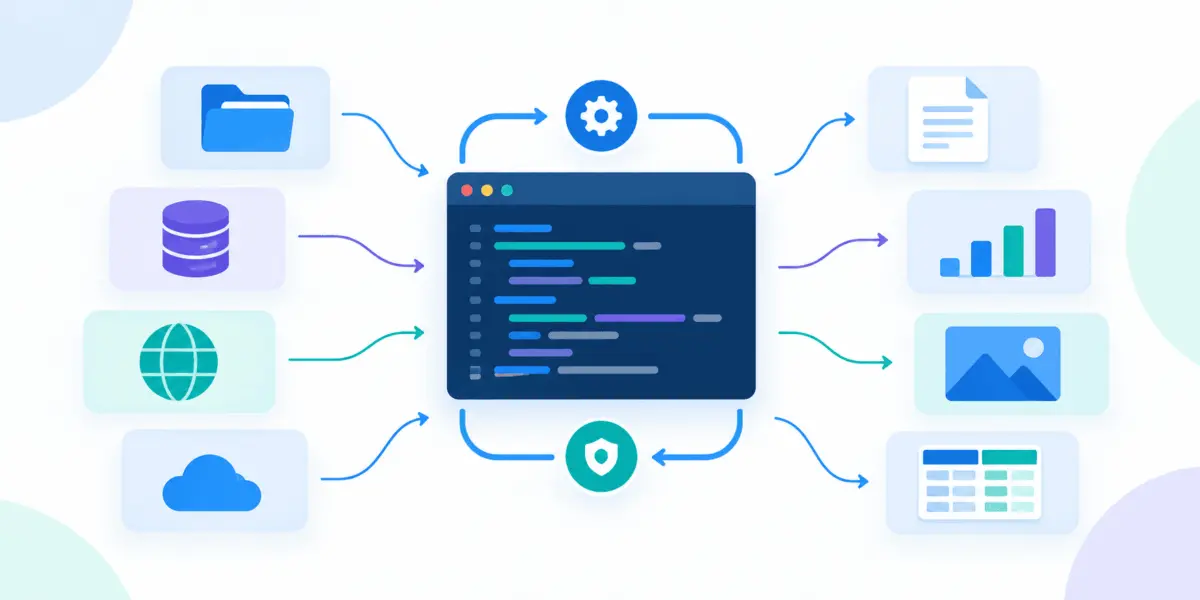
Industry observers note that not a single one of these common failures stems from an artificial intelligence problem; every single one of them is fundamentally a lab administration and infrastructure problem. Building a useful and sustainable home lab relies on deploying a small, carefully chosen set of containers with clear, modular jobs, rather than attempting to run one monolithic, giant AI box. Analysts taking a layered view of the local artificial intelligence stack generally categorize the ecosystem into distinct tiers: model serving, user interfaces, retrieval memory, automation, and management. Each layer functions as an independent container that can be replaced, upgraded, or reconfigured without touching any of the surrounding infrastructure.
When designing a robust local stack, selecting tools based on the friction they eliminate—rather than how prominently artificial intelligence appears in their product names—proves critical. In fact, some of the most vital components in a stable lab environment contain no artificial intelligence capabilities at all, focusing purely on orchestration, storage, and reliability.
1. Ollama: The Model Runtime
At the foundational engine room of the local stack lies Ollama, a robust utility designed to pull and execute local models while exposing a standardized HTTP endpoint on port 11434. Because every other container in the lab communicates directly with this specific endpoint, no other software layer needs to worry about the underlying complexities of how a model is loaded or executed. Official container images available on Docker Hub support multiple hardware configurations, providing streamlined routes for CPU-only setups, NVIDIA graphics processing units through the NVIDIA Container Toolkit via specific parameter flags, and AMD graphics processing units utilizing alternative tags.
The single installation detail that matters most for long-term stability is proper volume management. Large language models and foundational weights require significant storage space, and any container recreated without an explicitly designated named volume will be forced to download all of its models again from scratch. Worse yet, recreating a container without persistent storage risks losing access to a specific model version pulled from a tag that has since been modified or removed by upstream maintainers.
While GPU acceleration drastically speeds up token generation, hardware pass-through capabilities depend entirely on the host operating system rather than the Ollama runtime itself. Documented container GPU routes are natively supported on Linux and Windows operating systems utilizing Windows Subsystem for Linux version 2. Because standard virtualization layers on alternative desktop operating systems do not natively hand off hardware graphics processing units to containers in the same manner, operators utilizing alternative hardware environments often choose between running the runtime natively for maximum performance or accepting CPU-based inference within a containerized workflow.
2. Open WebUI: The Interface Layer
While a command-line interface or raw terminal window is perfectly adequate for briefly testing a newly downloaded model, it quickly becomes entirely useless for day-to-day interaction. Open WebUI addresses this limitation by wrapping the local backend in a feature-rich, browser-based interface that handles multi-user management, chat histories, document uploads, and seamless connections to Ollama alongside any other external providers an operator wishes to integrate. Containerized deployment is the officially recommended method for getting the interface running quickly on local hardware.
Securing the interface requires careful attention to persistent data volumes and session management flags. A designated storage volume mapping to the application backend directory ensures that user accounts, chat transcripts, and uploaded reference files survive routine container updates and system reboots. Without this persistence, every container recreation resets the entire environment back to a blank login screen. Additionally, establishing a permanent cryptographic secret key for session signing prevents unexpected disruptions; if a container regenerates this key automatically upon restart, all active users are immediately logged out of their sessions. Specialized image variants also exist for environments requiring built-in GPU acceleration or bundled runtimes, though separating the interface and the model runner into distinct containers generally simplifies long-term maintenance, troubleshooting, and independent component upgrades.
3. Retrieval Memory for the Lab
A fundamental design question every local lab operator must answer early on is whether a dedicated vector database is actually necessary. For casual conversation and general query testing, a vector database is entirely optional, and intentionally skipping it is a completely valid architectural decision. However, the exact moment a lab is expected to reliably answer complex questions drawn from proprietary documents, personal notes, or localized project files, those source materials must be mathematically embedded and indexed for rapid similarity search.
This is precisely where vector database engines like Qdrant come into play, storing high-dimensional vectors and efficiently identifying the closest semantic matches to a given query. This storage tier acts as the memory system that the artificial intelligence consults, representing a distinct architectural concern separate from the model runtime itself. Local deployments typically expose separate ports for REST application programming interfaces, administrative dashboards, and high-performance remote procedure calls, while mounting dedicated storage paths ensures that large collections of embedded data survive system restarts. Opening the integrated web dashboard provides immediate visual confirmation when an ingestion pipeline successfully processes new documents, transforming an isolated language model into an active, responsive knowledge retrieval system.
4. n8n: The Automation Spine
As a local artificial intelligence lab matures, manual workflows quickly become a bottleneck, creating a constant need for automated glue code. Files dropped into designated local directories require automated embedding, model endpoints need to be queried on strict schedules, and generated text summaries must be systematically pushed to platforms where humans can review them. n8n serves as a powerful visual workflow automation tool designed to orchestrate these repetitive tasks without requiring sprawling custom scripts.
Deploying the automation engine via structured container orchestration files represents the most sensible path for a home lab, aligning with how the rest of the infrastructure stack is managed. While default installations often rely on lightweight embedded databases, scaling up to more robust relational backends becomes an option as complex workflows multiply across the environment. Typical automation pipelines might monitor incoming directories for new research papers, automatically trigger embedding scripts, route data through the vector storage engine, and dispatch summarized reports to local notification channels. Because an automation hub frequently handles sensitive API keys, system credentials, and intricate workflow logic, securing its persistent data volume through regular backups and restricting network access exclusively to trusted local boundaries is an essential security practice.
5. Portainer CE: The Control Panel
Once a home infrastructure stack expands to encompass multiple interconnected containers, routine administrative tasks rapidly become the primary operational burden. Restarting services, inspecting container logs, verifying storage volumes, monitoring software updates, and cleaning up stopped containers left over from previous testing sessions can consume significant time if handled manually through raw terminal commands. Portainer CE alleviates this friction by providing a comprehensive, secure browser-based user interface dedicated entirely to container lifecycle management.
The standard installation mounts the host operating system’s Docker socket directly into the management container, granting the application profound administrative oversight over every service running on the machine. While this direct socket access is precisely what makes the control panel exceptionally useful for managing complex stacks, it also dictates strict security requirements. Because anything capable of communicating with the Docker socket effectively controls the entire host system, the management console must always remain restricted to trusted local networks and should never be exposed to public ports or unvetted external traffic. Treating the control panel with the same operational rigor as a production server administration console ensures that the lab remains secure while drastically simplifying troubleshooting when an interface unexpectedly stops responding.
Organizing the entire infrastructure using declarative configuration files from the very beginning establishes a predictable, reproducible environment. Multi-container orchestration definitions allow each service to reference others by name, enabling components like the web interface to communicate directly with the model runtime via internal hostnames without relying on fragile hardcoded IP addresses. Utilizing named storage volumes ensures the distinction between experimental setups and a resilient lab capable of surviving routine software maintenance. Pinning specific image versions rather than relying on mutable floating tags prevents unexpected breaking changes during routine updates, ensuring that a home artificial intelligence lab remains stable, maintainable, and ready to scale alongside the operator’s evolving needs.