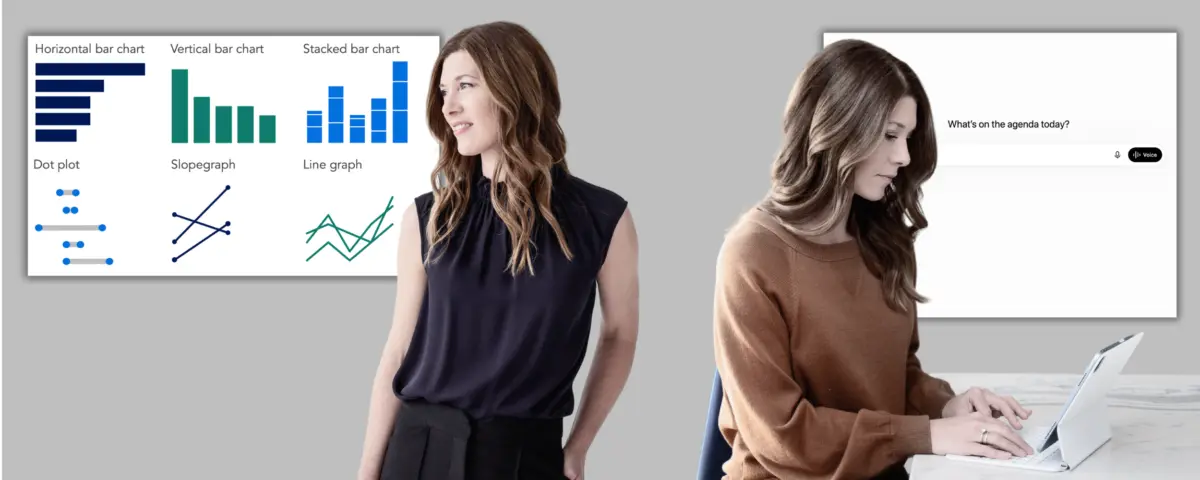
When it comes to presenting complex data, the choice of visual medium often dictates whether a message resonates or falls flat. Industry standards remain reliable for a reason: traditional bar charts effectively compare data across distinct categories, while dot plots and slopegraphs emphasize change between two points. For tracking trends over time, standard line graphs continue to serve as the default standard. Analysts are routinely reminded that when in doubt, sticking to familiar formats is the safest approach, ensuring that an audience does not have to learn how to read an unfamiliar graph style before they can absorb the underlying message.
Yet, the traditional path from a raw dataset to a finished, polished graph is rarely a straight line. Analysts often experiment with one visual form only to realize it emphasizes the wrong variables, prompting them to try another format that gets them slightly closer to their core takeaway. This iterative process of experimenting with different views of the same data to find the one that best serves a specific narrative is increasingly being accelerated by artificial intelligence. While AI-generated outputs can sometimes be rough and require a certain amount of back-and-forth communication to refine, they allow professionals to rapidly prototype options, evaluate them against a core takeaway, and commit to a strategic direction before investing hours into building a final graphic.
Working with AI to Choose an Appropriate Visual
For professionals following a structured storytelling workflow, the primary objectives are typically outlined during the initial storyboarding phase, providing a clear map of what needs to be shown. However, for those approaching data visualization independently or operating in an exploratory mode, artificial intelligence can serve as an invaluable diagnostic partner to help figure out what is actually worth visualizing in the first place. By sharing raw data and asking the system to surface hidden patterns or trends, analysts can uncover compelling insights. Once something interesting emerges, professionals must pause to clearly articulate their core takeaway before moving into the prototyping phase, turning a collection of numbers into a purposeful visual.
From there, the established workflow becomes remarkably straightforward: communicate the desired message to the AI tool, share the raw dataset, and ask for a series of alternative visual options. Analysts do not necessarily need to clean or aggregate their data beforehand, as handling that preliminary preparation is well within the capabilities of modern AI systems. For every generated prototype, users can ask the AI to explain the underlying tradeoffs, detailing precisely what each layout makes easy to see and what it might obscure. The objective is not to outsource critical decision-making to the algorithm, but rather to quickly surface viable options that can be evaluated using human judgment, deep knowledge of the target audience, and clear communication goals.
Once a definitive direction is chosen, the chart can be constructed within a preferred software tool—either manually or with the assistance of built-in generative features. Regardless of how the final graphic is produced, the human creator must remain entirely responsible for the factual accuracy of the data being displayed. Before diving into specific prompts and practical examples, however, it is essential to review the potential pitfalls associated with tool capabilities and rendering inconsistencies.
Chart rendering performance varies significantly across different software platforms and account tiers. While almost any platform can assist with the preliminary planning and conceptual thinking steps, visual prototyping requires tools capable of rendering actual chart images. Even then, users often find that it takes multiple carefully worded prompts to force an AI to generate actual images rather than text-based approximations or ASCII-style representations of charts.
In recent testing, major platforms showed distinct performance gaps. Tools like Microsoft Copilot and the free version of ChatGPT frequently struggled to render clean chart images for direct visual comparison, whereas the free versions of Gemini and Claude generally produced much stronger visual outputs. Because these capabilities are evolving rapidly, individual experiences will naturally shift as software developers roll out updates. Paid tiers consistently yield the strongest results overall, making them worth utilizing for professionals who have access to enterprise accounts. For those relying on free alternatives, Gemini currently stands out as a reliable option, while copying and pasting prompts across multiple tools remains a viable strategy for maximizing available design options.
Practical Application: The People Analytics Scenario
To understand how this process functions in a real-world setting, consider the scenario of a People Analytics Manager at a mid-sized consulting firm. The analytics team has recently concluded an exhaustive study examining the firm’s hybrid work policy, digging deep into performance ratings, in-office attendance patterns, collaboration network data, and employee attrition trends. Based on this thorough investigation, the team has formulated a clear recommendation: move away from the current one-size-fits-all policy of three days in the office and two days remote for all employees, transitioning instead toward a differentiated approach tailored to specific roles and team types.
Having established the foundational context and narrative arc in previous stages of the analysis—including formulating a Big Idea, building a storyboard, and developing takeaway titles for each planned presentation slide—the manager turns to the task of creating the actual visual content. Two specific graphs are required to support different points in the narrative. The first visual aims to demonstrate how early-tenure attrition has increased noticeably since the hybrid policy was implemented, while the second illustrates how the policy is affecting different employee groups in contrasting ways.
To develop the first visualization regarding attrition rates by role type and tenure, the manager utilizes Gemini, leveraging its strong free-tier rendering capabilities. The prompt establishes the target audience as a leadership team with divided opinions and high stakes in the outcome. It clearly states the core takeaway—that early-tenure attrition has spiked since the implementation of the hybrid work policy—and notes that the resulting graph will serve as a single visual element within a larger live presentation designed to persuade executives to adopt a differentiated policy.
Before generating visual layouts, Gemini poses several clarifying questions to better understand the operational context. It inquires about the specifics of the proposed differentiated policy, asks where the most intense executive pushback is likely to originate, and checks whether the leadership team traditionally prefers standard graph formats or is open to less familiar layouts.
Once these parameters are addressed, the AI provides three distinct visual options: a slopegraph, a grouped bar chart, and a dumbbell graph. To enhance clarity, the system explains its design choices, noting the deliberate use of neutral gray to represent the pre-policy baseline and the mid-to-senior tenure segments where no dramatic behavioral shifts occurred, while employing a striking red highlight specifically for early-tenure attrition post-policy, where the most significant change materialized.