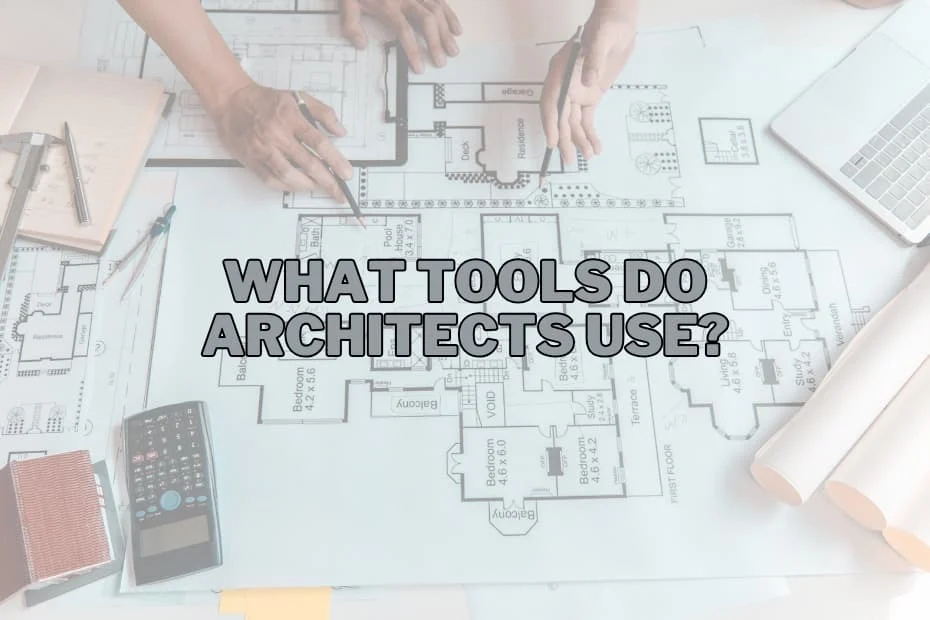
Architects are often described as the visionaries who shape the physical world, translating abstract dreams into physical realities. From soaring skyscrapers that define city skylines to cozy residential homes designed for family life, every structure begins as an idea. However, the journey from a conceptual spark to a completed building requires a highly specialized array of instruments.
To bring these complex visions to life, modern architects rely on a sophisticated blend of traditional, time-honored tools and cutting-edge digital technologies. This dual approach allows designers to maintain the artistic freedom of freehand drawing while leveraging the flawless precision of modern computing. By exploring the essential tools of the trade, we gain a deeper understanding of how architectural concepts are refined, tested, and ultimately constructed.
The Essential Tools of the Architectural Profession
The modern architectural workflow is highly iterative, shifting fluidly between physical sketches, digital models, and physical prototypes. Below are fifteen of the most critical tools that architects depend on to execute their work with precision and creativity.
1. CAD Software
Computer-Aided Design (CAD) software serves as the technological backbone of the modern architectural firm. This digital drafting environment allows architects to replace traditional drawing boards with high-precision virtual canvases. With CAD software, designers can construct highly detailed two-dimensional blueprints and three-dimensional digital representations of their projects.
Beyond simple line drawing, CAD systems act as comprehensive architectural planning tools. They enable architects to run simulations, predicting how a structure will perform under various environmental loads and structural stresses. This predictive capability allows design teams to identify potential flaws and make vital adjustments before construction begins, saving time and reducing costly errors on the job site.
2. 3D Printers
While digital models are incredibly detailed, there is still immense value in physical representation. 3D printers have revolutionized architectural modeling by serving as a direct bridge between the digital and physical realms. By converting two-dimensional CAD plans into precise, physical scale models, 3D printers allow architects to produce realistic prototypes of complex structures.
These physical models are invaluable communication tools. They allow clients, stakeholders, and construction teams to physically inspect a building’s proportions, massing, and spatial relationships. Seeing a physical model in real-world lighting provides an immediate, intuitive understanding of scale that a computer screen simply cannot replicate.
3. Sketching Pencils
Despite the dominance of advanced digital platforms, the humble sketching pencil remains one of the most powerful creative tools in an architect’s arsenal. When inspiration strikes, there is no faster or more direct way to capture an idea than putting graphite to paper.
Sketching supplies provide an uninhibited medium for brainstorming, conceptualizing, and exploring form. During initial client consultations or collaborative design sessions, quick hand-drawn sketches are often the most effective way to communicate a design’s mood, flow, and artistic direction. The tactile feedback of a pencil allows architects to think freely, unburdened by the rigid constraints of software menus and coordinates.
4. Laser Distance Measurers
Before any design work can commence, architects must obtain flawless measurements of the existing site or structure. While traditional measuring tapes have their place, the laser distance measurer has become the industry standard for site analysis.
By emitting a precise laser pulse, these devices can calculate distances across vast spaces in a fraction of a second. This technology significantly reduces human error and eliminates the logistical challenges of measuring long spans manually. For site surveys and historic preservation projects, these building measurement tools ensure that the digital design begins with a foundation of absolute physical accuracy.
5. Drafting Tables
For architects who continue to practice manual drafting, the drafting table is an indispensable piece of studio furniture. Featuring an adjustable, inclined surface, the drafting table is ergonomically designed to prevent physical strain during long hours of technical drawing.
A dedicated drafting table provides the stable, expansive workspace required to review large-format blueprints and execute precise hand-drawn schematics. Even in digital-first offices, these tables are often kept as collaborative hubs where teams can gather to review printed plans and sketch design revisions directly onto tracing paper.
6. Architectural Scale Rulers
Translating real-world dimensions onto a sheet of paper requires a highly specialized mathematical instrument: the architectural scale ruler. Characterized by its unique three-sided, triangular profile, this tool features multiple graduated scales that allow architects to quickly convert feet and inches into scaled-down fractions.
Whether drafting a detailed floor plan by hand or verifying dimensions on a printed blueprint, the scale ruler ensures that all spatial relationships remain perfectly proportional. It is a fundamental technical drawing instrument that bridges the gap between abstract design and physical reality.
7. Virtual Reality Headsets
Among the most disruptive innovations in contemporary architecture is the integration of Virtual Reality (VR) headsets. By importing 3D digital models into VR environments, architects can offer clients fully immersive walkthroughs of a building before groundbreaking even occurs.
This level of visualization allows stakeholders to experience the true volume, height, and materiality of a space. VR enables design teams to identify aesthetic or functional issues—such as narrow corridors or poor sightlines—that might go unnoticed on a flat screen or printed page, making it a game-changing tool for modern client presentations.
8. Plotter Printers
While digital file sharing is standard practice, physical blueprints remain the legal and practical language of the construction site. To produce these massive, high-resolution documents, architectural offices rely on plotter printers.
Unlike standard office printers, plotters are designed to handle wide-format paper rolls, printing intricate line work, detailed elevations, and complex structural grids with absolute clarity. These large-scale prints are essential for on-site construction crews, local planning departments, and engineering consultants who require physical documents for real-time collaboration and field adjustments.
9. BIM Software
Building Information Modeling (BIM) represents the evolution of CAD into a multidimensional planning ecosystem. While CAD focuses primarily on geometry, BIM software incorporates intelligent data regarding every single component of a building, from structural steel beams to the specific model of an HVAC unit.
BIM software acts as a centralized database that tracks a building’s entire lifecycle, facilitating seamless coordination between architects, structural engineers, and contractors. By allowing all parties to work within the same digital model, BIM minimizes miscommunication, prevents on-site spatial conflicts (such as plumbing lines running through structural columns), and optimizes material quantities.
10. Measuring Tapes
Even in an era dominated by laser technology, the classic spring-loaded measuring tape remains a staple of the architect’s everyday carry. Compact, durable, and requiring no batteries, the measuring tape is the ultimate tool for rapid, on-the-spot assessments.
Whether verifying the height of a countertop during a site visit, checking the thickness of a wall partition, or conducting quick measurements in the field, this simple analog tool provides instant, reliable feedback that digital devices cannot always match for convenience.
11. Graphic Tablets
Graphic tablets have successfully bridged the gap between manual sketching and digital drafting. By using a pressure-sensitive stylus directly on a digital screen, architects can retain the natural, organic feel of freehand drawing while working directly within design software.
Digital sketches created on a graphic tablet can be easily layered over CAD drawings, edited in real-time, and instantly shared with remote clients or team members. This tool preserves the artistic intuition of hand-drawing while streamlining the digital workflow and eliminating the need to scan physical paper.
12. T-Squares
The T-square is a foundational technical drawing instrument that has guided architectural hands for centuries. When placed against the edge of a drafting board, the T-square provides a perfectly horizontal reference line, allowing architects to draw straight parallel lines with ease.
For students and traditional practitioners, the T-square is essential for maintaining geometric alignment across manual drawings. It represents the historic roots of the profession, reminding designers of the geometric discipline required to construct stable, beautiful buildings.
13. Rendering Software
Once a digital model is built, rendering software is used to transform sterile geometric shapes into rich, lifelike visualizations. By simulating the complex physics of light, shadows, reflections, and material textures, rendering software generates highly realistic images and animations of the proposed design.
These architectural rendering programs are critical design visualization tools. They allow architects to show clients exactly how natural sunlight will filter through a window at a specific time of day, or how different wood finishes will look under interior lighting, serving as a powerful tool for marketing and design approval.
14. Protractors
In architecture, not every design is built on a standard ninety-degree grid. For buildings featuring sweeping curves, angled walls, or complex roof pitches, the protractor is an essential tool for measuring and plotting angles.
This simple mathematical instrument ensures that angular transitions are drafted with absolute geometric precision. Accurate angular measurements are vital not only for aesthetic harmony but also for structural integrity, making the protractor a crucial component of any technical drawing kit.
15. Foam Cutters
For rapid, physical study models, foam remains one of the most popular materials in design studios due to its lightweight properties and ease of manipulation. To shape this material cleanly, architects use specialized foam cutters, which utilize a heated wire to slice through rigid foam without tearing or crumbling.
Foam cutters allow designers to quickly construct massing models, site topographies, and volumetric studies. These hands-on models provide a rapid, tactile method for analyzing how a building design sits within its surrounding landscape and interacts with neighboring structures.
The Integration of Tradition and Technology
The modern architectural workflow is defined by a symbiotic relationship between historical tools and future-facing technology. An architect does not simply choose one over the other; rather, they navigate a spectrum of instruments depending on the phase of the project.
A project typically begins with a graphite pencil on trace paper, where raw creativity flows without digital restrictions. As the concept solidifies, it transitions to CAD and BIM software for rigorous engineering and precise documentation. Physical scale models are printed or cut from foam to study real-world proportions, while rendering engines and VR headsets are deployed to communicate the final vision to clients. Finally, plotter printers output the high-resolution blueprints that guide the hands of the construction crew.
By mastering this diverse toolkit, architects ensure that their designs are not only visually stunning and highly functional but also structurally sound and constructible in the real world.
Q&A: Understanding Architectural Tools
What is the most important tool for modern architects?
While every tool serves a specific purpose, CAD and BIM software are widely considered the most critical tools in modern architectural practice. These digital platforms host the definitive files for a project, managing everything from initial spatial layouts and structural simulations to material lists and engineering coordination.
Why do architects continue to draw by hand when advanced software exists?
Hand-drawing remains a fundamental part of the architectural process because of its immediacy and freedom. Sketching with a pencil allows architects to quickly explore concepts, brainstorm ideas, and capture spatial relationships during client meetings without being slowed down by software interfaces, boot times, or rigid digital constraints.
How does BIM software differ from traditional CAD software?
While CAD software focuses primarily on drawing two-dimensional lines and three-dimensional shapes to represent a building’s physical geometry, BIM (Building Information Modeling) software goes a step further. BIM embeds intelligent, real-world data into every component of the model—such as material costs, structural properties, and manufacturer details—allowing architects to manage the entire lifecycle of a building from design through construction and future maintenance.
What advantages do 3D printers and virtual reality offer over traditional blueprints?
Blueprints require a trained eye to interpret correctly, whereas 3D-printed models and virtual reality headsets make design concepts instantly accessible to everyone. 3D printing provides a physical, tactile scale model that helps viewers understand spatial proportions, while VR allows clients to virtually step inside a building, offering an immersive sense of scale, volume, and lighting before construction begins.