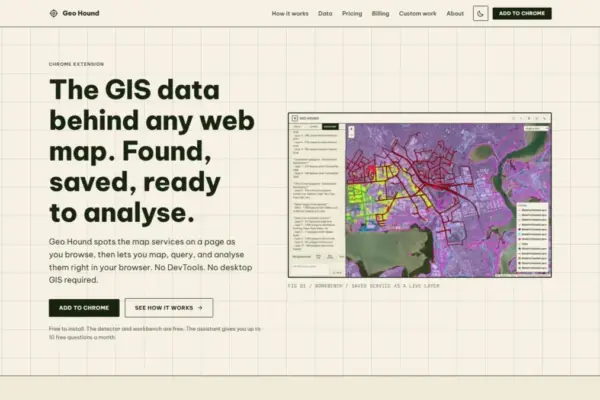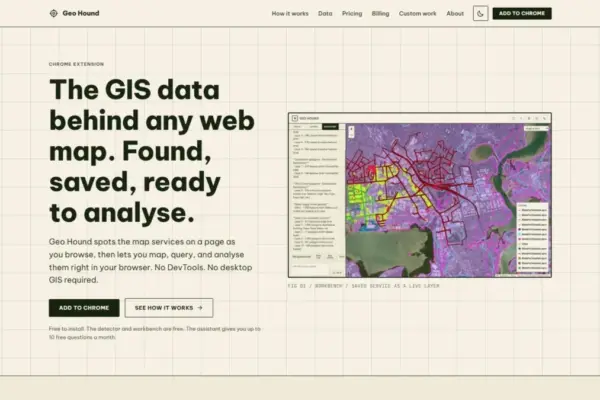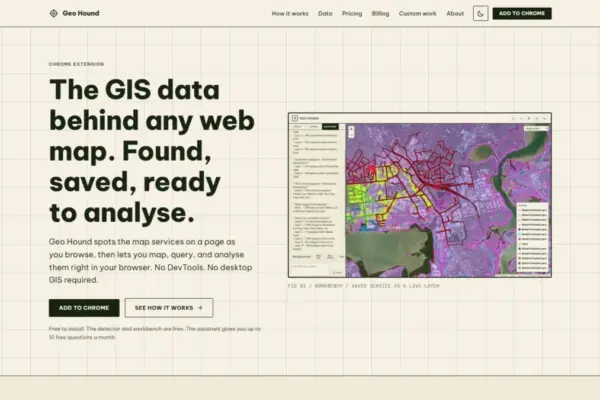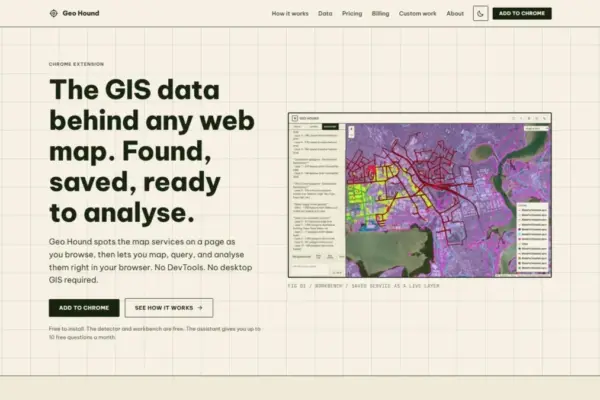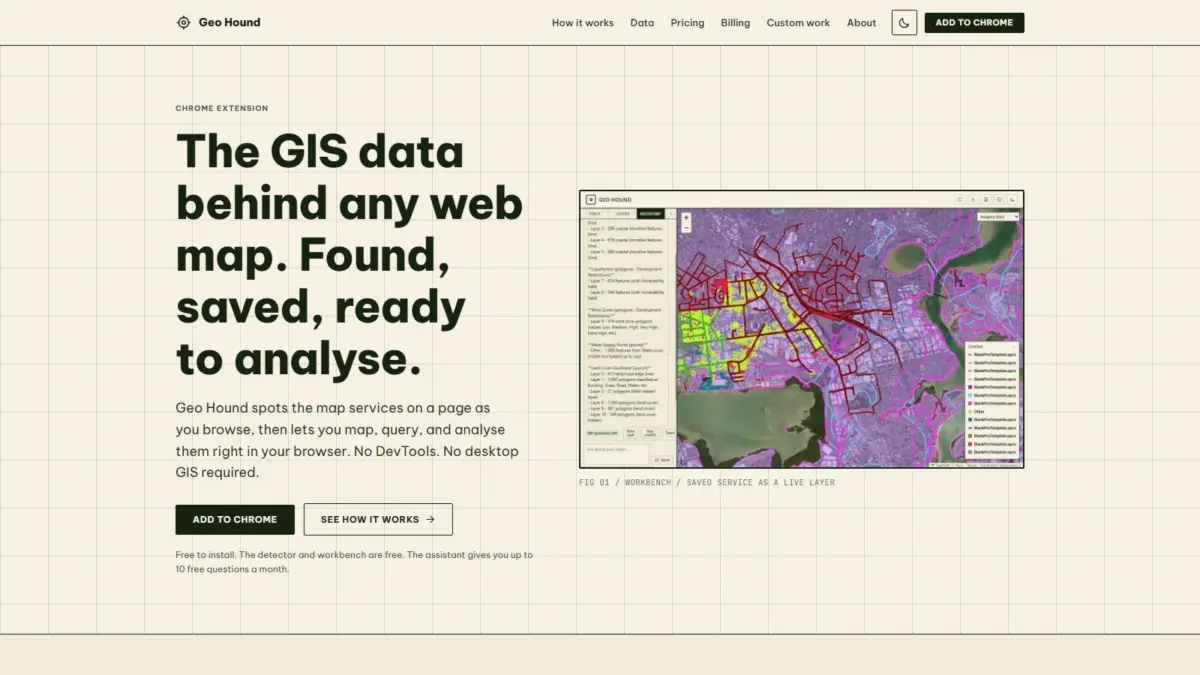
In the modern digital ecosystem, interactive web maps are ubiquitous across municipal portals, research platforms, environmental tracking sites, and news media. However, revealing the exact underlying spatial services that power those interactive displays has historically required tedious technical workarounds. A new browser extension named GeoHound aims to streamline this process by automatically detecting, capturing, and inspecting the geospatial data streams feeding web maps as users navigate the internet.
Operating as a extension for the Google Chrome web browser, GeoHound monitors web traffic in real time to identify spatial service types and data protocols supporting modern web maps. The extension is capable of recognizing 29 distinct formats, encompassing a broad cross-section of open and proprietary spatial standards. Among these detected formats are Web Map Services (WMS), Web Feature Services (WFS), Open Geospatial Consortium (OGC) APIs, ArcGIS REST endpoint services, various raster and vector tile services, and standalone GeoJSON files. As users interact with web maps across different websites, the tool detects active background data streams and saves them alongside their accompanying metadata, providing immediate visibility into spatial resources that are typically concealed behind frontend mapping interfaces.
To understand the operational shift introduced by GeoHound, it is helpful to examine how geospatial professionals, web developers, and spatial data analysts traditionally interact with web-based maps. Historically, uncovering the source endpoint of an embedded web map required opening browser developer tools—a process colloquially known within the industry as DevTools spelunking. Analysts were required to open technical developer panels, monitor dense network traffic logs, filter through hundreds of HTTP requests, inspect individual payload signatures, and manually isolate the specific server URLs delivering map layers. Once located, those service endpoints had to be manually copied, checked, and loaded into standalone desktop Geographic Information System (GIS) software environments, such as QGIS or ArcGIS Pro, simply to inspect attribute tables or extract feature geometries.
By automating the inspection of network requests directly within the browser interface, GeoHound removes the necessity for manual network log monitoring and eliminates the immediate need to launch heavy desktop GIS applications for routine spatial data discovery. Instead of toggling between complex developer consoles and external desktop applications, users can rely on the extension to log active spatial endpoints silently as they browse, preserve the underlying layer metadata, and make those spatial layers immediately available for further work.
Beyond its core automatic detection functions, GeoHound includes a built-in interactive spatial workbench accessible directly within the Chrome browser. This workbench allows users to perform practical GIS operations on captured spatial layers without transferring files into secondary desktop software. Within the browser workbench, users can filter dataset attributes to isolate specific feature sets, apply spatial buffers around vector geometries to construct proximity zones, execute attribute or spatial joins to combine separate datasets, and export modified or extracted spatial layers directly into standard file formats.
The integration of filtering, buffering, joining, and exporting capabilities directly within the browser interface significantly alters basic web map exploration. Attribute filtering enables users to hone in on specific records embedded within spatial payloads without downloading entire server-side spatial databases. Buffering tools facilitate immediate proximity analysis—such as calculating defined area zones around point or line features—directly on the active display map. Joining capabilities allow users to merge supplementary attribute tables or spatial layers within the session, while export options ensure that any discovered or processed spatial data can be saved locally for secondary mapping, archiving, or reporting purposes.
In addition to its standard GIS toolset, GeoHound incorporates an artificial intelligence assistant designed to execute spatial analysis tasks on saved layers using natural language commands. Rather than navigating deeply nested tool menus, configuring manual geoprocessing parameters, or writing specialized spatial query scripts, users can instruct the AI assistant to process spatial tasks using plain English instructions. This plain-English interface lowers the operational barrier to spatial analysis, allowing users to query layer properties, evaluate spatial relationships, and process captured datasets through conversational commands directly within the workbench interface.
The extension’s operational structure is designed for broad accessibility within the spatial community. Both the automatic service detector and the interactive browser workbench are provided free of charge, offering core spatial discovery and browser-native mapping tools without financial barriers. The plain-English AI assistant functions alongside these core features, providing automated analytical support for spatial layers saved during browsing sessions.
GeoHound has been introduced and highlighted by Daniel O’Donohue, a geospatial specialist and the creator and voice behind The MapScaping Podcast, a prominent audio publication serving the global geospatial community. Drawing on a professional background dedicated to using spatial technology to decipher complex environmental and geographic challenges, O’Donohue has focused on demystifying spatial data workflows one layer at a time. His work in spatial industry media emphasizes lowering technical barriers, improving data accessibility, and providing practical utility for professionals and mapping enthusiasts seeking to understand the spatial infrastructure behind modern web applications.
The array of web service protocols detected by GeoHound plays a central role in contemporary spatial data infrastructure. Standardized services such as Web Map Services (WMS) deliver georeferenced map images rendered dynamically by remote servers, making them ideal for visual display but historically difficult to query directly for vector geometries. Web Feature Services (WFS) provide direct access to raw vector feature geometries and associated attribute tables, allowing for detailed feature-level query and manipulation. OGC APIs represent modernized, web-native standards created by the Open Geospatial Consortium to simplify spatial data publishing and web integration. ArcGIS REST services serve as the dominant delivery framework for Esri-based enterprise infrastructure, powering vast catalogs of public and private sector web services worldwide. Tile services, including indexed raster and vector tiles, optimize map performance by delivering spatial content in lightweight, pre-packaged geometric grids, while GeoJSON provides a universally accepted, text-based data format widely used across modern web platforms.
By capturing these 29 distinct service types automatically, the extension bridges the traditional gap between web map consumption and web data discovery. Modern web applications frequently present complex, visually rich spatial visualizations, yet end users are often isolated from the raw server endpoints that generate those visuals. Tools operating natively within the browser environment help convert passive web map viewing into active spatial data discovery, turning web maps into reachable portals for backend spatial infrastructure.
Ultimately, by combining automated stream identification across dozens of spatial protocols, browser-native processing tools such as spatial buffering and feature joining, and conversational AI assistance into a single browser extension, GeoHound updates how web-based geospatial layers are discovered, evaluated, and retrieved. As spatial workflows increasingly shift toward lightweight, browser-first tools, the ability to inspect, transform, and export embedded spatial data directly from web pages without opening developer logs or desktop software marks a functional step forward for geospatial practitioners and web users alike.