Traditional Python notebooks have long served as a cornerstone for data exploration, yet they frequently present frustrating operational challenges for developers and data scientists alike. Cells executed out of sequential order can leave analysis results dangerously out of sync, while transforming a static notebook into an interactive dashboard typically requires bolting on complex external tools or completely rebuilding the workflow within an entirely separate framework. Addressing these enduring friction points, an open-source reactive Python notebook environment known as Marimo is gaining significant traction within the data community by fundamentally rethinking how code execution, reproducibility, and interactivity intersect.
Developed to provide a much cleaner, more reliable approach to data science workflows, Marimo ensures that notebook cells automatically update whenever their underlying dependencies change. Crucially, unlike traditional notebook formats that store hidden state inside complex JSON structures, Marimo notebooks are stored natively as standard Python files. This architectural distinction drastically simplifies version control with Git, enhances reproducibility, and streamlines sharing among engineering and research teams.

To demonstrate the practical capabilities of this environment, developers can combine Marimo with foundational data science libraries such as Pandas and Altair to build responsive analytical workflows. Constructing these applications begins with a straightforward installation process utilizing standard package management tools like pip, uv, or Conda. Developers can also opt for a recommended installation bundle that automatically includes high-performance data tools including DuckDB, Polars, and Altair. Once installed, initializing a workspace opens the Marimo editor directly within a web browser, allowing users to interact with a standard Python script that bridges the gap between script-based development and interactive visualization.
Establishing a realistic analytical foundation involves generating a comprehensive sales dataset encompassing diverse product categories, regional markets, quarterly performance metrics, units sold, and pricing tiers. While traditional development environments often require explicit print commands or specialized viewing utilities to inspect dataframes, Marimo streamlines this process natively. By simply placing the dataframe variable at the conclusion of a cell, the environment automatically renders an interactive table equipped with built-in search, sorting, and filtering capabilities. This native compatibility extends seamlessly across both Pandas and Polars data structures, enabling practitioners to retain their preferred data manipulation libraries without friction.
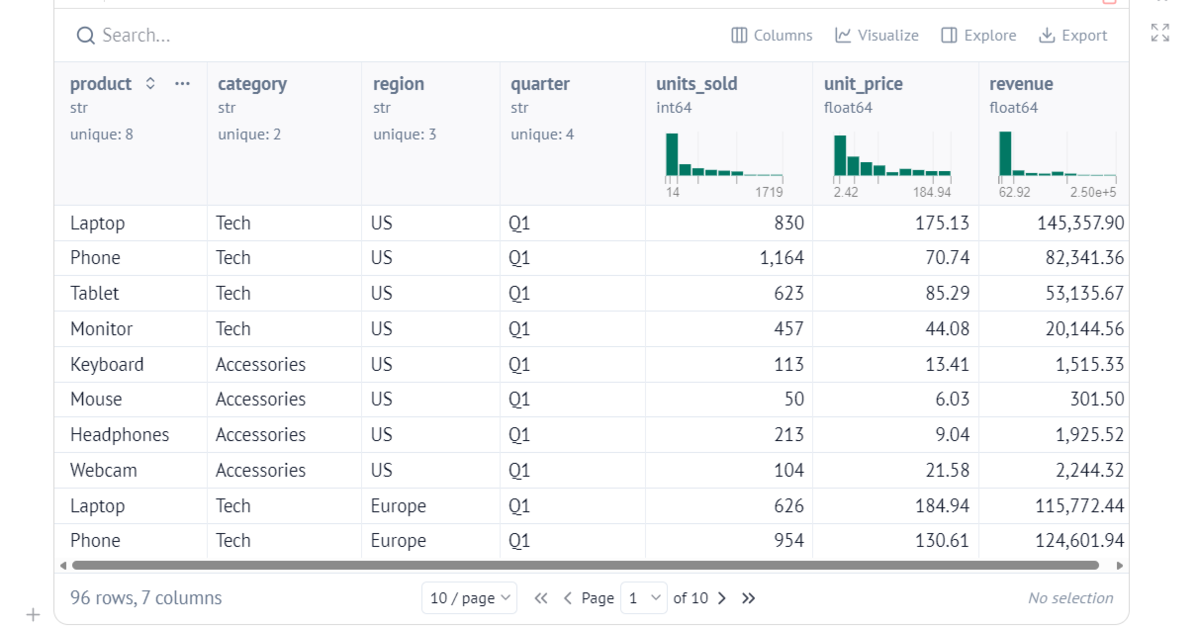
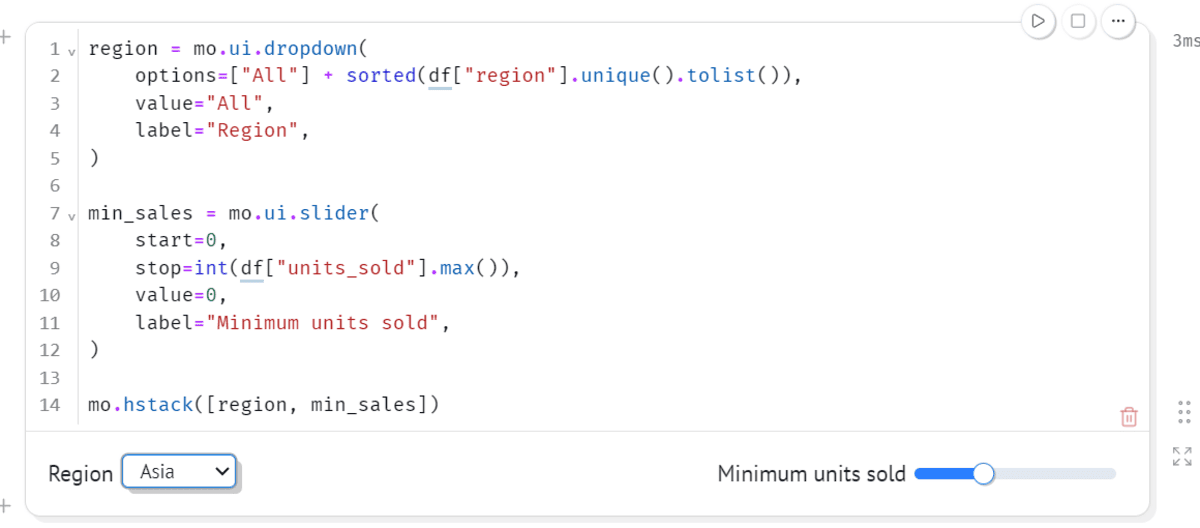
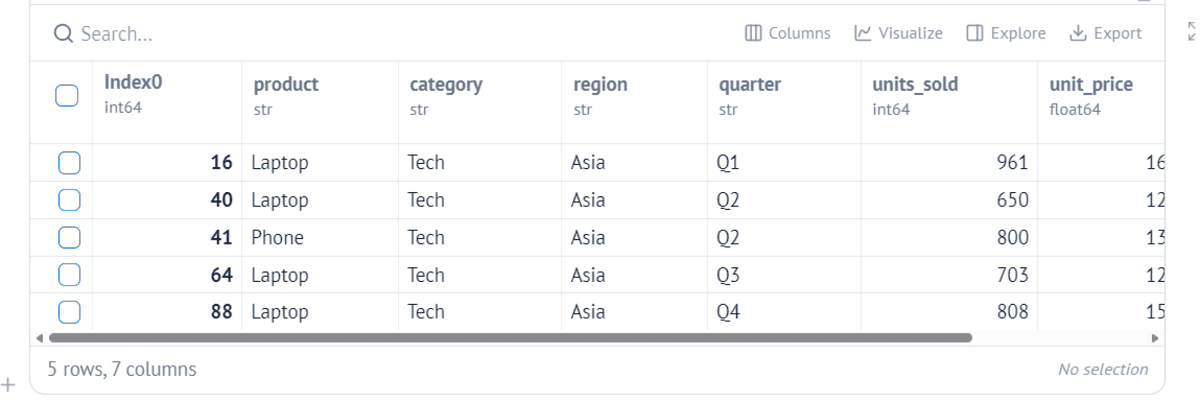
Beyond static data inspection, Marimo introduces a robust suite of built-in user interface components that empower developers to inject interactivity directly into their workflows without writing boilerplate frontend code. Standard interface elements—including dropdown menus, numerical sliders, checkboxes, date pickers, and text inputs—can be effortlessly integrated into the workspace. For instance, combining a regional dropdown menu with a dynamic units-sold slider allows analysts to isolate specific market segments instantly. When these interface controls are linked directly to the underlying dataframe, any adjustment made by the user automatically triggers the execution of dependent operations.
This reactive execution model represents the core philosophical departure from conventional notebook paradigms. Rather than forcing users to manually rerun upstream cells or track execution states, Marimo automatically identifies dependencies across the script. When a filter parameter or slider value changes, the system intelligently recalculates only the affected cells, ensuring that downstream tables and visual representations remain perfectly synchronized at all times.
Integrating sophisticated visualization libraries further amplifies this interactive capability. By pairing filtered dataframes with declarative visualization frameworks like Altair, developers can construct dynamic bar charts, scatter plots, and multi-layered graphs that respond in real-time to user inputs. Hover tooltips and interactive selections embedded within the charts seamlessly pass data back into the Python environment, unlocking advanced analytical workflows that previously demanded cumbersome web development stacks.
Perhaps one of the most compelling features for production and presentation use cases is the ability to seamlessly transition a development notebook into a fully functioning interactive web application. By executing a simple terminal command, the environment launches the notebook in a dedicated application mode that conceals the underlying Python code and presents a clean, polished interface suitable for stakeholders. This dual-purpose utility allows data professionals to use a single file for initial exploration, iterative development, and final deployment, eliminating the need to rewrite or port logic into separate dashboard frameworks.
The broader adoption of reactive notebooks reflects a growing industry demand for simplification within the data science ecosystem. By reducing the number of moving parts, external dependencies, and state-management issues traditionally associated with browser-based notebooks, tools like Marimo offer a streamlined alternative for local development and browser-based presentation. As data practitioners continue to seek out cleaner architectures that bridge exploratory analysis and polished reporting, reactive python environments are well-positioned to influence the future standard of technical workflows.