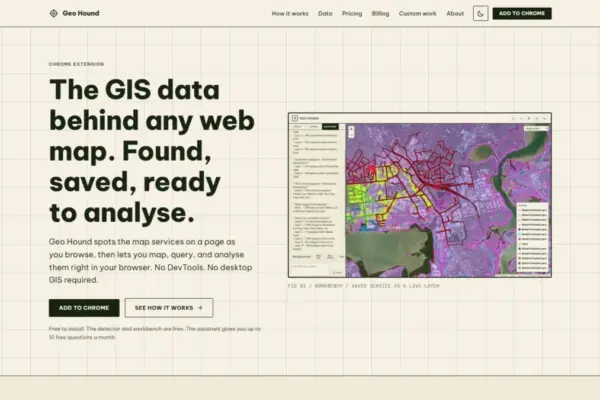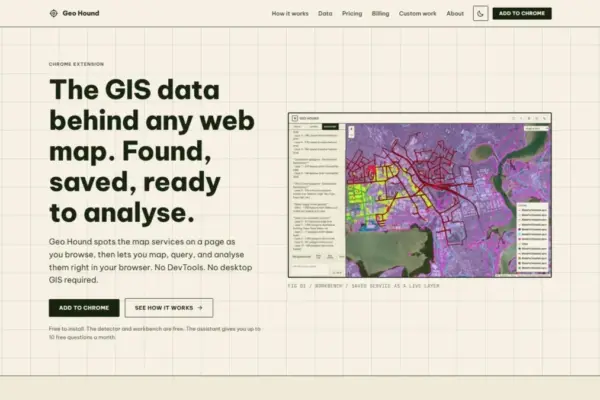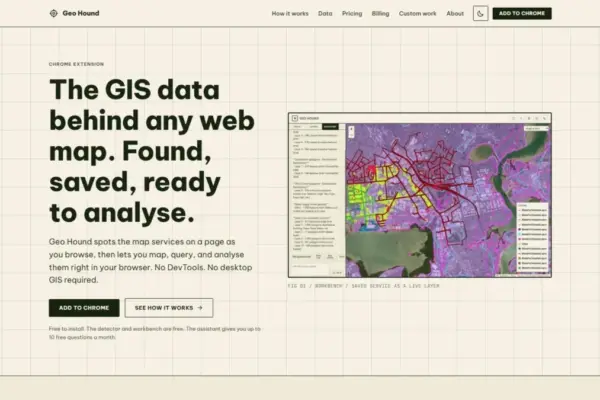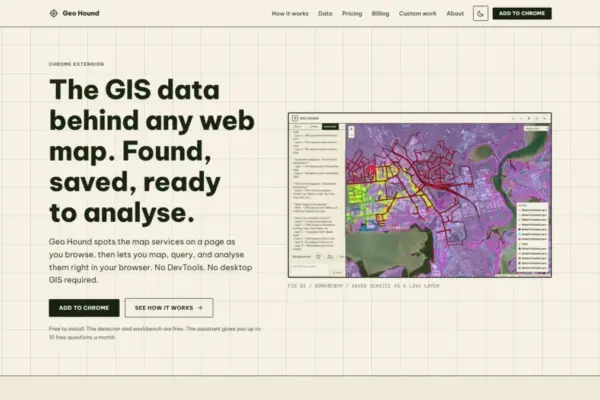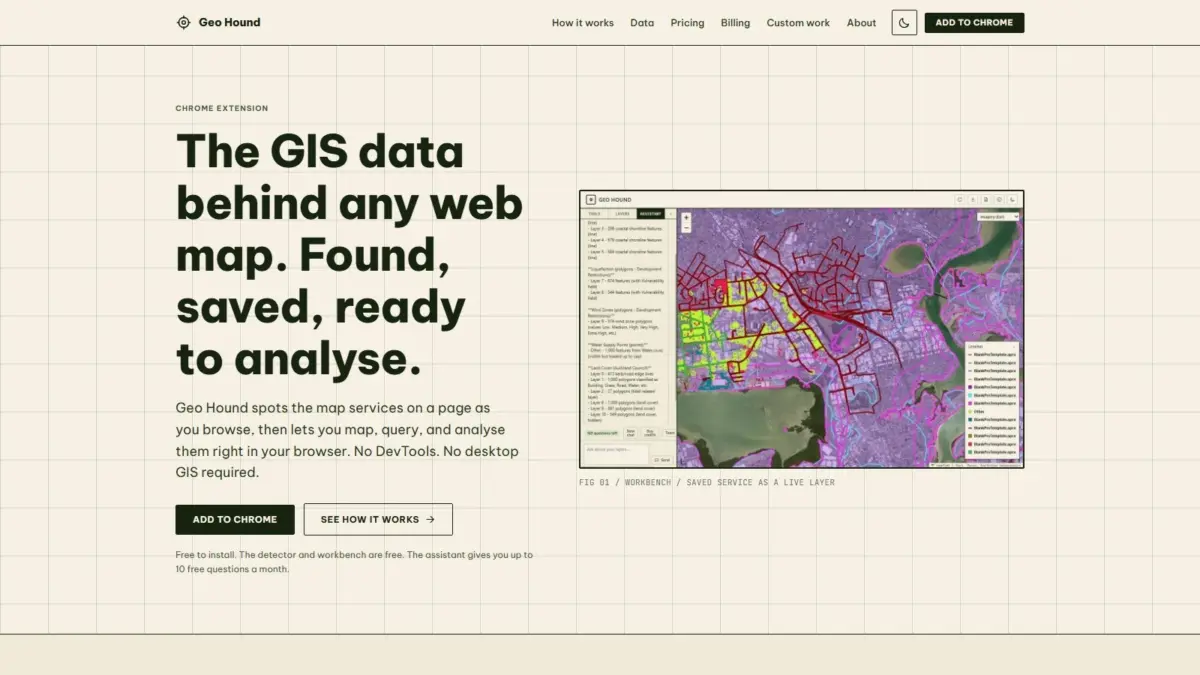
A new browser-based tool named GeoHound has been released to help geospatial professionals, developers, and cartographic enthusiasts discover and manipulate spatial data embedded within websites. Developed as a Google Chrome extension, GeoHound operates in the background during normal web browsing, automatically detecting the underlying spatial data services and server endpoints that power interactive web maps. Created by Daniel O’Donohue, a geospatial specialist and creator of The MapScaping Podcast, the software aims to streamline spatial data discovery by eliminating manual network inspections and offering built-in geographic processing tools directly inside the browser.
When navigating modern websites, users frequently encounter dynamic mapping interfaces displaying information ranging from real-time environmental monitoring to municipal zoning and infrastructure layers. Behind these interactive interfaces lies a complex architecture of backend map servers and cloud endpoints streaming spatial data in real time. Historically, identifying the source URLs, feature streams, or raw spatial files powering a specific web map required users to inspect the web page manually using browser Developer Tools. This process, often referred to as inspecting network traffic or "DevTools spelunking," involves filtering through hundreds of HTTP requests, inspecting header information, and analyzing payload responses to isolate valid spatial server endpoints.
GeoHound eliminates this technical friction by automatically sniffing web traffic as a page loads and renders map elements. The extension continuously scans network activity to identify spatial layers, parsing response patterns and server signatures without requiring manual user intervention. In total, the system is designed to recognize 29 distinct types of geospatial services and data formats commonly deployed across open-source and proprietary enterprise mapping environments.
Among the detected protocols are widely adopted Open Geospatial Consortium standards, including Web Map Service, Web Feature Service, and modern OGC API frameworks. Web Map Service endpoints typically stream pre-rendered raster map images generated on the server, whereas Web Feature Service endpoints deliver vector data with complete spatial geometries and attribute tables. By detecting both open standards and modern API variants, the extension ensures compatibility with legacy infrastructure as well as contemporary spatial server deployments.
Beyond open standards, GeoHound identifies commercial and proprietary web mapping endpoints, most notably Esri ArcGIS REST services. These include ArcGIS FeatureServer and MapServer endpoints, which represent significant pillars of public sector and enterprise GIS infrastructure globally. In addition to server endpoints, the extension detects vector and raster tile services, as well as lightweight spatial data payloads like GeoJSON files served across standard web channels.
When GeoHound identifies an active spatial feed, it captures the endpoint along with its associated metadata. Metadata collection is a critical aspect of geographic data handling, as spatial layers rely on spatial reference systems, coordinate precision specifications, layer descriptions, and feature attribute schemas to function accurately within cartographic and analytical workflows. By saving detected layers together with their operational metadata, the extension creates an organized repository of discovered spatial resources that users can reference and inspect.
Beyond its automated data detection capabilities, GeoHound includes an integrated, browser-based workbench environment. Historically, once an analyst successfully located a web map endpoint using Developer Tools, they were forced to copy the target URL, open specialized desktop Geographic Information System software—such as QGIS or Esri ArcGIS Pro—and manually add the service to their workspace to inspect or manipulate the underlying layers. GeoHound shifts these preliminary analytical tasks into the web browser itself, removing the need to launch heavy desktop applications for basic exploratory data analysis.
The in-browser workbench provides a suite of fundamental GIS operations that can be performed directly on saved spatial layers. Users can execute spatial and attribute filtering to isolate specific features or geographic boundaries within a dataset. The environment also supports buffering operations, allowing users to generate proximity zones and distance boundaries around points, lines, or polygons directly within the active browser session.
Additionally, the workbench features spatial and attribute joining capabilities, enabling users to combine information from distinct geographic layers or link external attribute tables based on common keys or spatial relationships. Once data processing or layer filtering is complete, users can export the modified or extracted datasets directly from the browser workbench. This capability allows spatial analysts to transform live, web-hosted map streams into portable geographic datasets suitable for downstream storage, reporting, or secondary analysis in external systems.
To further simplify browser-based spatial operations, GeoHound integrates an artificial intelligence assistant designed to execute GIS tasks using natural language queries. Rather than navigating manual drop-down menus or configuring complex spatial analysis algorithms, users can interact with the AI assistant by inputting commands in plain English. The assistant interprets these natural language instructions and executes the corresponding spatial transformations, filtering routines, or analytical operations directly on the user’s saved spatial layers within the workbench.
The release model for GeoHound establishes the primary layer detector and the integrated spatial workbench as free tools accessible to any user operating a compatible web browser. This approach lowers technical and financial barriers for a wide variety of users, including academic researchers, data journalists, urban planners, software developers, and cartographers who routinely encounter web-based spatial data but lack dedicated enterprise GIS desktop licenses on every machine they use.
The extension’s development reflects the professional background and industry insights of its creator, Daniel O’Donohue. As a geospatial specialist, O’Donohue has spent years working with spatial technology to resolve complex geographical challenges across different domains. He is best known across the spatial technology industry as the host and creator of The MapScaping Podcast, an established media platform dedicated to exploring trends, software developments, data workflows, and professional perspectives within the global geospatial community.
Through his work on the podcast, O’Donohue regularly engages with software engineers, remote sensing experts, cartographers, and open-source contributors. These discussions frequently highlight systemic industry challenges, including the friction associated with spatial data discovery, modern web map interoperability, and the persistent technical divide between web-first applications and traditional desktop GIS software. The launch of GeoHound represents a direct response to these recurring industry pain points, offering a lightweight tool that bridges the gap between passive web browsing and active geographic data collection.
As web mapping technologies continue to evolve from static graphic representations into dynamic, data-rich analytical platforms, tools that streamline spatial data discovery play an increasingly important role in modern workflows. By combining automated detection across 29 spatial service types, metadata retention, client-side spatial processing via an in-browser workbench, and an AI assistant driven by natural language commands, GeoHound provides a comprehensive environment for capturing and interacting with web-based geographic data.